


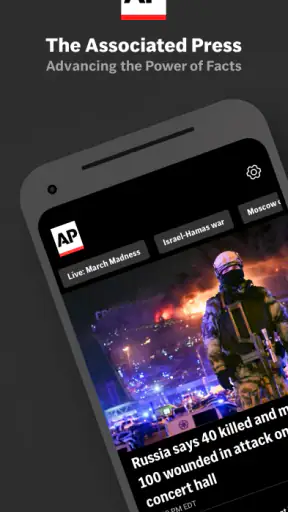

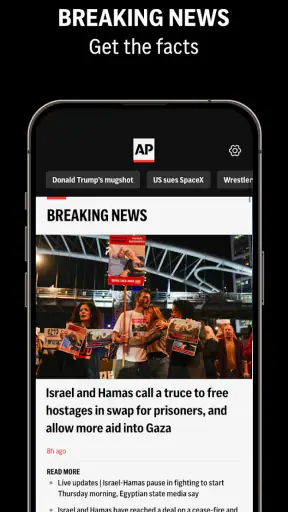
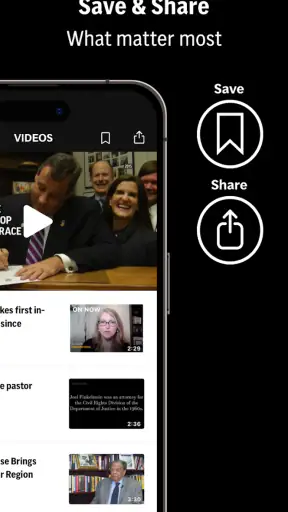
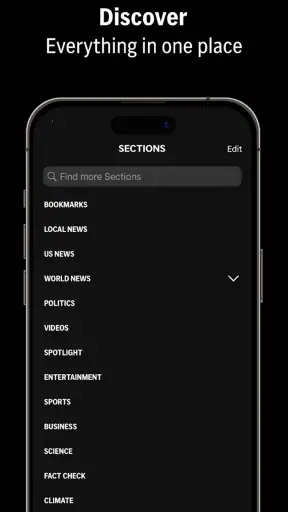
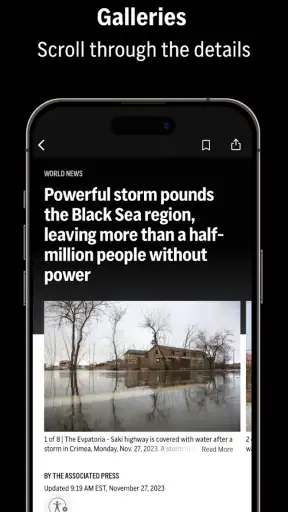
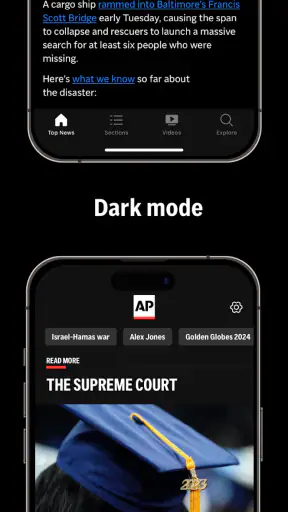
I use news apps differently from social feeds: I want a quick way to see what matters, but I also want enough context to decide whether a story deserves my attention. AP News: World & Local sits in that useful middle ground. It is a free news and magazines app from The Associated Press, built around reporting from around the world and local coverage rather than an endless stream of opinions. After spending time with it, I see it as a practical daily briefing tool, especially for readers who prefer a newsroom-led experience over a personalized social timeline.
That does not mean it replaces every other news source. Its strongest quality is focus, while its main limitation is that a focused news app can feel less conversational and less locally deep than a dedicated regional publication. I would recommend it to someone who wants a dependable starting point each morning, but I would not treat it as the only app for specialist reporting, neighborhood events, or highly customized news discovery.
What the AP News experience is really like
The first thing I noticed is that the app makes more sense when used in short sessions. I can open it, scan the main headlines, read one or two full articles, and leave with a reasonable sense of the day. That is different from social platforms, where a quick check can turn into a long scroll through repeated reactions, clips, and arguments. Here, the basic task is clearer: open the app, identify important stories, and read the reporting that interests me.
The connection to The Associated Press matters because the app is not presented as a personal blog platform or a collection of anonymous posts. The editorial identity is visible in the product itself. That gives the experience a more traditional news shape, which I find helpful when a major event is developing and I want reporting before commentary. It also means the app may feel restrained to readers who expect every story to include a strong editorial voice.
In the News & Magazines category, it competes with newspaper apps, broadcaster apps, aggregators, and social feeds. Compared with an aggregator, AP News feels more coherent because the reading experience is tied to one established news organization. Compared with a local newspaper app, it is better suited to combining international and national awareness with local interest, but it may not provide the same depth on a town council meeting, school issue, or neighborhood disruption. Compared with social media, it is less useful for seeing immediate public reaction, and that is both a limitation and a benefit.
The app is free, which makes it easy to try without turning the decision into a subscription commitment. Its store rating is a 4.3 average from around 146 thousand ratings, and it has passed one million installs. Those figures suggest that it has found a substantial audience, but I would still judge it by how well its reading flow fits my habits rather than by popularity alone.
A useful morning routine
My preferred way to use it is not to open every alert or chase every headline. I start with the main news view, skim the headlines, and choose one story that affects my work or the wider world. Then I move to a local item if I need practical awareness of what is happening nearby. This two-step routine prevents the app from becoming another source of background noise.
A small but important habit is to separate scanning from reading. Headlines are useful for orientation, but they are not a substitute for the article. When a story involves a fast-moving event, I read the full piece and check whether the wording indicates confirmed information, developing information, or a report based on early accounts. That is not a special feature; it is simply the most responsible way to use a news app.
The app is particularly convenient during transition moments: on a commute, before a meeting, or while waiting for an appointment. I can use it in short bursts without needing to reconstruct a complicated feed. For someone who wants a daily news habit but dislikes the emotional pressure of social timelines, that simplicity is a real advantage.
Where it earns trust, and where I stay careful
Trust in a news app comes from more than a familiar name. I look at who develops it, what choices I am given, how clearly the app handles account-related decisions, and whether I can use it without feeling pushed into actions I did not intend. The developer shown for this app is The Associated Press, so the editorial source is clear. That gives me a useful starting point, but it does not remove the need to read critically.
I also avoid assuming that a recognizable publisher automatically means every article will answer every question I have. News coverage can be brief, especially when an event is still unfolding. A short article may be ideal for a first update but insufficient for background, technical explanation, or local consequences. When a story affects an important personal decision, I use the app as an entry point and look for additional primary or specialist sources.
The app is rated for Everyone 10+, which is a helpful general signal for families considering it, but an age label cannot predict the emotional impact of breaking news. Coverage of violence, disasters, conflict, or public emergencies can be upsetting even when the app is appropriate for a broad audience. I would not hand it to a younger reader without discussing how to handle difficult stories and alerts.
Its current version is 6.27 PROD, and it requires an operating system version 9 or later. That makes the compatibility question straightforward for many Android users, but anyone with an older device should check the requirement before planning to rely on it. I also prefer keeping the app updated because news applications depend on a stable reading and notification experience, even though an update alone is not a guarantee of perfect performance.
Permissions, data choices, and the moments that deserve attention
When I review an app through a privacy lens, I do not fill gaps with assumptions. I look for the controls the app visibly presents and pay attention to the moments when it asks me to make a choice. With a news app, the most important moments are usually the first launch, notification setup, account prompts, and any screen that encourages personalization or continued engagement.
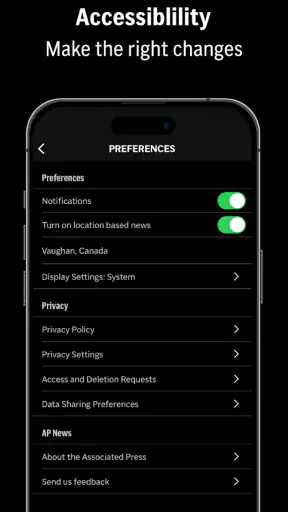
Notifications deserve particular care. Breaking news can be useful, but too many alerts can make the app feel intrusive and can train me to react to every headline. I would enable only the alerts that match my routine, then revisit the choice after a few days. If I find myself dismissing most of them, that is a sign to reduce them rather than blaming the entire app.
Account controls are another practical consideration. If the app offers a sign-in or profile path during use, I would decide whether that is genuinely useful for my reading habits before creating an account. A person who reads casually may prefer to keep the experience simple, while someone who wants a more consistent setup across devices may value account-based controls if they are clearly explained. The important point is to make that decision deliberately instead of treating registration as an automatic step.
I am also cautious when a news app asks for attention at a sensitive time. During a crisis, a notification can be valuable, but it can also arrive without enough context to interpret responsibly. I read the article rather than relying on the alert text, and I avoid forwarding a headline as if it were a complete account. This is one of the less obvious trade-offs of mobile news: speed improves awareness, but speed can reduce understanding.
For readers who are especially data-sensitive, my advice is simple: review the visible permission prompts and privacy choices during setup, allow only what feels necessary for the way you intend to use the app, and revisit notification and account settings after the first week. I would not grant access automatically just because the application is from a well-known publisher. Familiar branding is not a reason to skip ordinary privacy checks.
How much control does the reader have?
The best news experience is not the one that shows me the most stories. It is the one that lets me decide how much news I want, when I want it, and which subjects deserve my attention. AP News works well when I treat it as a tool I control rather than as a feed that controls my schedule.
I recommend choosing a reading window. For example, I might check the app once in the morning and once later in the day, instead of opening it whenever a notification appears. This gives the app a clear role and reduces the chance that breaking coverage will dominate the entire day. It also makes it easier to notice whether the app is genuinely helping me stay informed.
Another useful approach is to read beyond the headline before forming an opinion. News headlines must be concise, and developing stories can change quickly. I look for the details that explain what happened, who is affected, what remains uncertain, and what may happen next. If those answers are not in the first article I open, I treat that article as an update rather than a final explanation.
The app is a good fit for readers who want world and local news in one place, but the word “local” should be interpreted realistically. A broad news service can help me notice an important regional story, yet it may not replace a publication dedicated to my exact area. If my main need is road closures, local school decisions, community events, or detailed municipal reporting, a specialized local source may be better. AP News becomes more valuable when my goal is to combine local awareness with a wider view.
I would also skip it as a primary choice if I mainly want opinion, discussion, or a heavily personalized entertainment-style feed. The app’s news-first identity is its strength, but readers who want constant commentary may find it quieter than social platforms or opinion-focused publications. Likewise, researchers looking for deep archival tools or specialist databases should use resources designed for those tasks instead of expecting a general mobile news app to provide them.
Everyday scenarios where it works best
Imagine I am leaving home and want to know whether there is a major story I should understand before starting work. I open the app, scan the leading items, and read the article connected to the subject most relevant to my day. If I see a local development, I can add it to my awareness without abandoning the broader news picture. The value is not that the app tells me everything; it helps me choose what deserves a closer look.
Another scenario is a developing international event. Social media may show eyewitness posts and immediate reactions, but that stream can be difficult to verify and easy to misread. I prefer using AP News for a structured update, then checking other trusted sources if the subject affects travel, finances, safety, or a personal decision. This workflow uses the app for orientation without pretending that one article can provide the whole picture.
It is also useful for people who have stopped following news because the usual alternatives feel exhausting. A focused publisher app can create a calmer entry point than a social timeline. I can read a limited number of articles, close the app, and return later. The trade-off is that I may miss niche stories or community conversations, but I gain a more manageable routine.
What I would improve in my own use
I would not leave every possible alert active. I would also avoid judging the app from one slow day or one story that feels too brief. News coverage varies by event, and the right test is whether the app consistently helps me find reliable starting points without demanding more attention than I want to give.
I would keep a second source for specialist needs. A local publication can fill in community detail, while a subject-specific outlet can explain science, technology, business, or public policy more deeply. AP News is strongest as a broad first stop. It is less convincing as a complete information system for a reader with narrow professional interests.
Finally, I would treat personalization and account choices as optional decisions rather than signs of a “proper” setup. If I can get what I need without creating an account, that may be preferable for a light user. If a visible control makes the experience more useful, I would use it after understanding what it changes. This keeps the relationship with the app practical and intentional.
My cautious recommendation
After using AP News: World & Local, I see it as a solid free choice for people who want a clear, publisher-led way to follow major world and local stories. The Associated Press name gives the app a defined editorial identity, and the combination of broad coverage with a mobile-friendly routine makes it easy to include in a daily schedule. I especially like it for quick orientation, measured reading, and users who want distance from social-media noise.
My recommendation comes with boundaries. I would not rely on it alone for highly local detail, specialist analysis, or urgent personal decisions. I would read full articles instead of acting on alerts, review visible permissions and account choices, and adjust notifications until they support rather than interrupt my day. Those habits matter as much as the app itself.
For Android users on version 9 or later, it is a straightforward app to try, and the free price removes the biggest barrier to testing it. The broad audience reflected by its rating and install count is encouraging, but the final question is personal: do you want a focused news briefing from a recognizable newsroom, or do you need a highly customized feed and deep local specialization? If the first answer is yes, I think this app is worth keeping on your phone.


